Digital health Video appointments
Video appointments make it possible to consult a doctor over the internet. This can save time and reduce travel requirements. An electronic sick leave notice or e-prescription can be issued during the appointment if necessary.
At a glance
- To take part in a video appointment, patients need a smart phone, tablet or computer with a camera, microphone and speaker.
- A stable internet connection is required in order to transmit good quality images and sound.
- The medical practice or a certified video service provider will provide access details for the appointment in advance.
- Patients must enter their name at the start of the appointment and possibly present their electronic medical data card.
- Video appointments are subject to data protection provisions.
What is a video appointment?
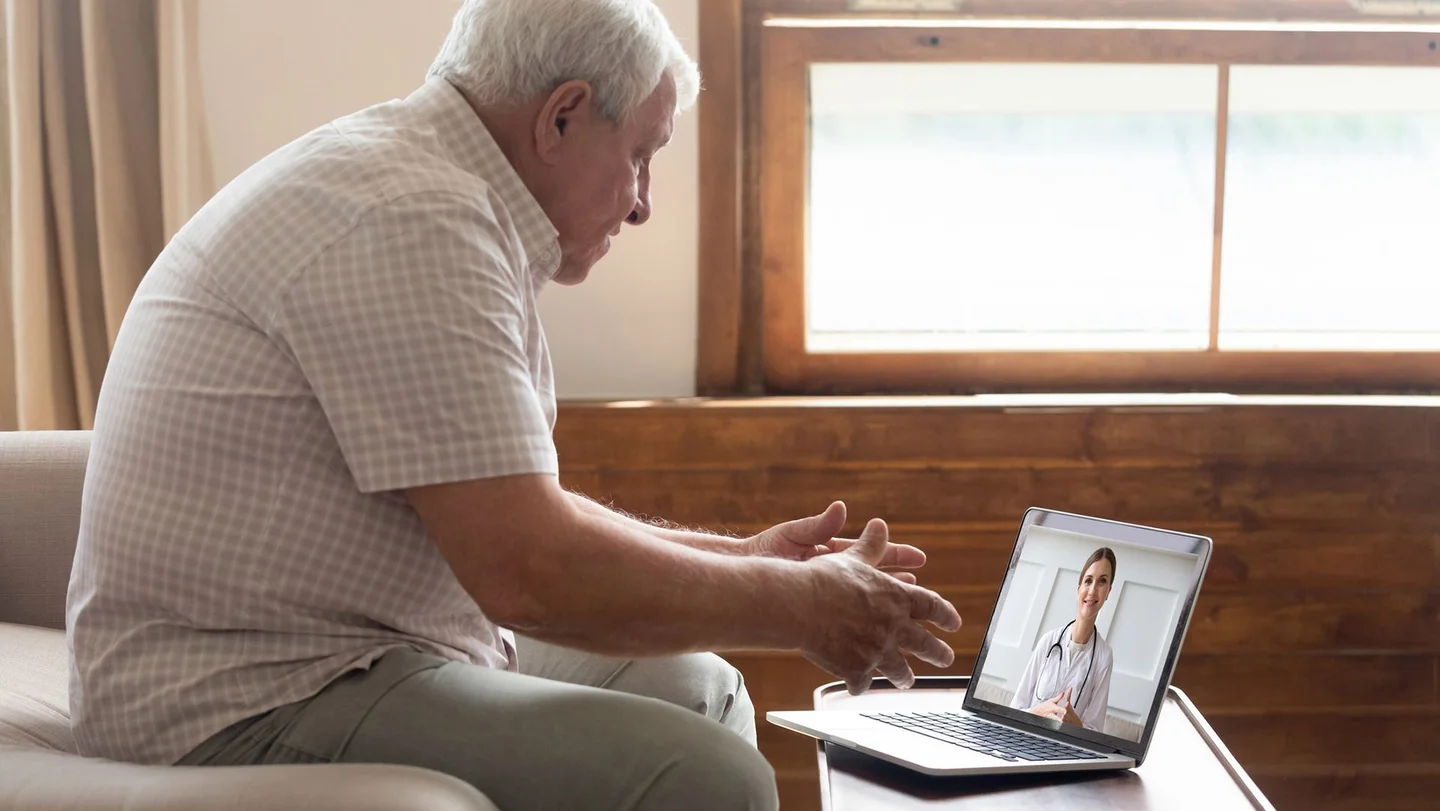
Patients do not have to attend their medical practice for every appointment. Whether surgical wound examinations, discussions on further treatment or psychotherapy sessions, all of these are possible in a video appointment. There are also many other situations in which a video appointment can be a useful alternative. Doctors decide on a case-by-case basis whether such an appointment is medically wise. Video appointments are similarly structured to face-to-face appointments in medical practices except that the doctor and patient are in different places. This saves time and eliminates the need for travel.
It is even possible to issue electronic sick leave notices and e-prescriptions during a video appointment. As with a “normal” doctor’s appointment, the costs are covered by the health insurance fund.
Who can offer video appointments?
Almost all types of doctors can offer video appointments, even when treating patients for the first time. In the case of psychotherapists, the initial sessions should take place in person in the form of face-to-face consultations. Following this, certain psychotherapy methods can involve treatment using individual or group sessions provided in the form of video appointments. If, however, a patient is unable to attend the practice, for example for medical reasons, even the initial sessions can be conducted by video.
It is also possible to have video appointments with physiotherapists, nutritional therapists, speech therapists, occupational therapists and midwives.
What do I need for a video appointment?
All that is needed for a video appointment is an electronic device with internet access, for example a smartphone, tablet, laptop or computer. It is important that the device has a camera, microphone and speaker or headphone connection. Most modern devices meet these requirements.
A sufficiently fast and stable internet connection is required in order to transmit good quality images and sound.
How is a connection established?
Patients can use a standard internet browser or a special app for the video appointment.
Doctors who offer video appointments must register with a certified video service provider. This is obliged to comply with certain technical specifications and regulations on data protection. The same level of privacy should therefore be provided as with appointments at a medical practice.
Patients are provided with personal dial-in details for the agreed appointment in advance. No special online account is required.
What is the procedure for a video appointment?
Start by arranging a date and time for the video appointment with your doctor.
You will then be informed how to establish the connection for the video appointment, for example via a link from the video service provider. You will also receive personal dial-in details for the appointment.

Use the dial-in details to log in to the internet address provided about ten minutes before the appointment and enter your correct name so that your doctor knows who you are.
A short, automatic technical test is performed, then you are taken to a virtual waiting room.
Your doctor will then connect with you for the video appointment. If you have never attended the medical practice or have not been there for a long time, you will be asked to present your electronic medical data card.
The actual appointment will then begin and the images transmitted will enable the doctor to obtain a better idea of your situation than in a telephone appointment.
If necessary, you can even obtain e-prescriptions or an electronic sick leave notice for up to seven days during the appointment. Anyone who has never been treated by the doctor can be given a sick leave notice for a maximum of three days within the scope of the video appointment.
Once the video appointment is finished, log off from the website.
What about data protection?
Medical practices that offer online appointments must inform their patients about data protection before their first video appointment. You may be asked to provide written consent for the use of the video service.
Your doctor must also make you aware of all general prerequisites. These not only include the required technology, but also general conditions such as good lighting and a quiet, undisturbed environment. It is important for video appointments to be able to be as confidential as normal appointments. Family caregivers and care workers can attend the appointment at your request.
The video service used by the medical practice encrypts the consultation so that it can only be seen and heard by the direct participants. The video service provider must also ensure that the content cannot be viewed or saved.
The doctor can only record the video appointment with your consent.
- gematik GmbH. E-Rezept: Einfacher für alle. Aufgerufen am 17.06.2025.
- GKV-Spitzenverband. Videosprechstunde, -betreuung/ telemedizinische Leistung per Video. Aufgerufen am 17.06.2025.
- Kassenärztliche Bundesvereinigung KdöR. Praxisinfo: Videosprechstunde: Hinweise zur Durchführung und Abrechnung in Praxen. 05/2025.
- Kassenärztliche Bundesvereinigung KdöR. Online in die Arztpraxis: So funktioniert die Videosprechstunde. Aufgerufen am 17.06.2025.
- Kassenärztliche Bundesvereinigung KdöR. Vereinbarung über die Anforderungen an die technischen Verfahren zur Videosprechstunde gemäß § 365 Absatz 1 SGB V. 04.12.2024.